How to Transfer Vehicle Ownership in Maharashtra Online: Forms 29 and 30, Documents, Fees and Steps on the Vahan Portal
Selling or buying a used vehicle in Pune? Transfer the RC on the Vahan portal with Forms 29 and 30, insurance, PUC and NOC if needed. Steps and documents.

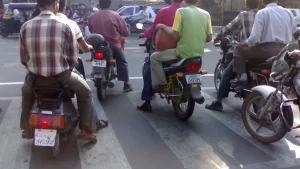
Photo: Nikhil.kawale / CC BY-SA 3.0, via Wikimedia Commons
To transfer a vehicle’s ownership in Maharashtra, apply on the Vahan portal (vahan.parivahan.gov.in) under “Transfer of Ownership”, upload Forms 29 and 30 signed by the seller and buyer, pay the fee online, and submit the documents at the RTO where the vehicle is registered. The buyer must apply within 30 days of the sale if the vehicle stays in the same state.
Until the transfer is recorded, the seller remains the legal owner and can be held responsible for challans or accidents, so both sides should finish it quickly.
Documents
- Original registration certificate (RC)
- Form 29 (notice of transfer), two copies signed by the seller
- Form 30 (application for transfer), signed by both seller and buyer
- Valid insurance (to be transferred to the buyer’s name)
- Valid PUC certificate
- Address proof of the buyer, such as Aadhaar
- Form 35 and NOC from the bank, if the vehicle had a loan
- NOC from the original RTO, if the vehicle is registered in another state
Step by step
- Clear any pending challans on the vehicle.
- Open vahan.parivahan.gov.in, choose “Vehicle Related Services”, enter the registration number and pick Maharashtra.
- Select “Transfer of Ownership” and fill in the buyer’s details.
- Pay the fee online and download the receipt and filled forms.
- Submit the signed forms and documents at the RTO (or upload them where Aadhaar-based faceless service is available).
- The new RC is printed in the buyer’s name and sent by post.
Fees
The fee depends on the vehicle type and includes the transfer fee and smart card charges. Vahan shows the exact amount before payment.
Tips for sellers
- Keep a signed copy of Forms 29 and 30 and a dated sale receipt with the buyer’s ID
- Note the time and date of handover, and the odometer reading
- Track the application on Vahan until the RC is in the buyer’s name
See also our guides to PUC rates in Maharashtra and checking e-challans.
Fees, documents and RTO procedures can vary by case and may change. Confirm with the RTO before you submit.
Frequently asked questions
How do I transfer vehicle ownership online in Maharashtra?
Apply on vahan.parivahan.gov.in under Transfer of Ownership, pay the fee and submit Forms 29 and 30 with documents at the RTO.
What are Form 29 and Form 30?
Form 29 is the seller’s notice of transfer; Form 30 is the application signed by both seller and buyer.
How long do I have to transfer ownership after a sale?
The buyer should apply within 30 days if the vehicle stays in the same state.
Is a bank NOC needed for vehicle transfer?
Yes, with Form 35, if the vehicle had a loan recorded on the RC.